ESSENTIAL GUIDANCE · CYBER ESSENTIALS · 17 min read
Part of Foundation insights →5 Cyber Essentials Every Business Must Implement Today
In today's digital age, cyber security matters more than ever. Businesses face new threats every day, and protecting digital assets is a must.
Technical review lead: James Hinton · Offensive security lead
Cyber Essentials is a UK government-backed scheme that helps businesses block common attacks. These cyber security essentials can stop up to 80% of common threats.
Every business, large or small, should focus on cyber security. Cyber Essentials gives a clear framework with five controls: firewalls, secure setup, user access control, malware protection, and patch management.
Definition of Cyber Essentials
Cyber Essentials is a UK government-backed scheme. It helps businesses deal with everyday online threats and build stronger digital security.
The scheme uses simple security steps. If you search for Cyber Essentials requirements, you will see the same five controls again and again. Businesses should treat them as part of an ongoing plan, not a one-time task.
At its core, Cyber Essentials focuses on five key areas:
- Configuring systems securely.
- Using boundary firewalls and internet gateways.
- Controlling user access to data and services.
- Protecting against malware.
- Managing software updates.
The scheme gives businesses a simple way to improve protection without confusion. It creates a strong base for safer day-to-day work.
Importance for Businesses
The digital world is busy and complex. Companies rely on technology more than ever, and that creates more risk from cyber threats. Cyber Essentials helps lower that risk.
Security also protects trust and reputation. Customers expect their data to stay safe. A breach can damage trust, hurt a brand, and reduce revenue.
Attackers often target small and medium-sized firms because they think their defenses are weaker. Cyber Essentials helps businesses of all sizes reduce that risk and follow clear steps.
Key Benefits of Cyber Essentials include:
- Lower risk of cyber attacks.
- More customer trust and loyalty.
- Better market reputation and a stronger edge.
- Lower insurance costs in some cases.
- Better fit with compliance needs.
This structure also helps teams work in the same direction. It gives business leaders a simple way to improve protection and lower daily risk.
Understanding Cyber Essentials
Cyber threats are always present. Cyber Essentials gives businesses a practical way to defend against them. Backed by the UK government, it helps firms manage common risks in a simple and useful way.
With the scheme, companies gain a solid base. That base cuts weak spots and improves security. By learning these basics, businesses can act before harm is done.
What are Cyber Essentials?
Cyber Essentials is a simple but strong security scheme. It focuses on the most common threats and gives clear advice on how to reduce them. Its main goal is to lower the risk of cyber incidents.
The UK Government launched the scheme to meet a growing threat. It is designed for businesses of all sizes. Whether you are a start-up or a large firm, the framework can fit your needs.
At its core, the scheme serves two aims:
- It gives a clear structure for cyber security.
- It shows customers, partners, and investors that your business takes security seriously.
Many businesses are not sure where to start with security. Cyber Essentials removes that confusion. Following the guidance helps build a stronger security stance and gives stakeholders more confidence.
Key Components of Cyber Essentials
The framework centres on five controls. Each one strengthens a business's defence against cyber threats.
- Boundary Firewalls and Internet Gateways: These are the first line of defence. They filter traffic and block unwanted access.
- Secure Configuration: Set up systems in the safest way possible. This cuts weak spots and lowers risk.
- Access Control: Limit who can reach data and systems. This helps protect private information.
- Malware Protection: Use software to spot and block harmful code. Regular scans and updates keep defences strong.
- Patch Management: Keep software up to date so weak spots are fixed fast.
To secure certification, businesses must handle each control well. Each part builds on the last to create a layered defence. That makes it harder for attackers to get in.
Cyber Essentials also supports regular reviews and updates. Security is not static. Threats change, and defences must change too. Regular checks and staff training help businesses stay ahead of new risks.
In short, Cyber Essentials gives a clear roadmap. It strengthens defence, supports compliance, and helps businesses meet modern security needs with more confidence.
Cyber Essentials Requirements
Cyber Essentials sets out clear cyber essentials requirements to defend against common threats. These requirements are simple, direct, and practical. They help businesses of all sizes put strong security steps in place.
These requirements are not just for compliance. They also help build a strong security base. Businesses should see them as part of an ongoing security plan, not a one-time list.
Overview of Requirements
The framework includes five core controls. They shield businesses from the most common threats and support Cyber Essentials certification.
Each control has a clear role in stronger defence.
Here are the main requirements:
- Secure Configuration: Set up systems safely from the start.
- Boundary Firewalls and Internet Gateways: Protect the network edge from outside threats.
- Access Control: Limit access to people who need it.
- Malware Protection: Use tools to find and block malware.
- Patch Management: Keep software and systems up to date to reduce weak spots.
These controls create a full security framework. They are not just about meeting a standard. They also help businesses build lasting security habits. To do that well, teams should review their practices often and update them as new risks appear.
Detailed Explanation of Each Requirement
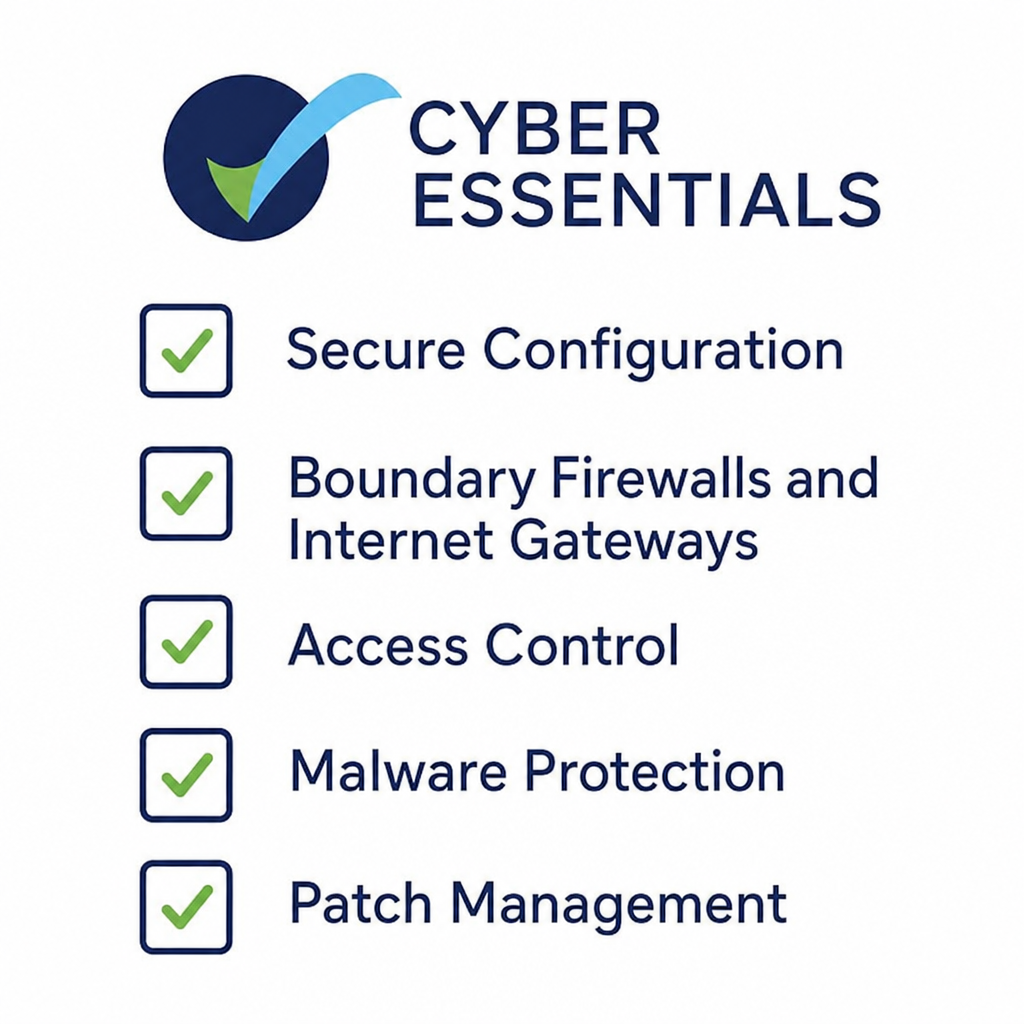
A clear understanding of each control makes implementation easier.
Secure Configuration is about setting systems up in the safest way. Remove or turn off software and services you do not need. Default settings often leave gaps that attackers can use. Regular checks help find and fix weak spots fast.
Boundary Firewalls and Internet Gateways act as gatekeepers. They watch and filter traffic in and out of the network. Well-set firewalls block unwanted access and reduce exposure to attacks.
Access Control protects sensitive data and systems. Start by knowing who needs access to what. Use strong password rules and multi-factor sign-in to strengthen access control and stop unauthorised data exposure.
Malware Protection uses security software to spot and block harmful programs. Regular scans and updates keep threats under control. Staff training also matters, because many attacks begin with phishing or other tricks.
Patch Management means updating software and systems on time. When you find weak spots, you should apply patches quickly. Regular patching closes gaps before attackers can use them.
Secure Configuration
Secure configuration means setting up systems in the safest way possible. This includes servers, computers, and devices. The goal is to reduce risk by removing or turning off anything that is not needed.
Default settings often leave gaps that attackers can use. Changing those settings to match best practice helps close weak spots. A secure setup also makes daily work more stable.
A secure configuration checklist might include:
- Removing unused user accounts and software.
- Turning off unused features and services.
- Setting strong password rules and access controls.
Check configurations often so you can find and fix weak spots fast. This should be an ongoing task, not a one-off job. You should apply updates and patches quickly to stop known attacks.
Also wise to keep a record of changes. A clear record shows what changed and why. That can help during an audit or if a breach happens.
In the end, secure configuration means building a security setup that fits your business. It cuts risk while keeping work efficient. A key step in building a strong security base.
Boundary Firewalls and Internet Gateways
Boundary firewalls help protect a company's network edge. They filter traffic between internal and external networks and block unwanted access. Internet gateways manage the flow of internet traffic to and from the network.
When you set up firewalls well, they help stop attacks by controlling data in and out. They allow trusted traffic and block suspicious links. That filtering is a first line of defence.
A good firewall checklist includes:
- Using default-deny rules so only approved traffic gets through.
- Reviewing and updating firewall rules often.
- Turning on logging to spot suspicious activity.
Keeping firewall settings up to date is crucial. Old or wrongly set firewalls can become a weak point. Regular audits help make sure the rules still match the business's needs.
Businesses should also train IT staff to manage these tools well. Even small setup errors can open the door to cyber threats. Good management is essential for a safe business environment.
Access Control
Access control is key to protecting sensitive data and systems. It makes sure only the right people can reach certain information. This control is key for keeping data accurate and private.
Good access control starts with knowing who needs access to which resources. Permissions should match job roles. By limiting access, companies cut the risk of insider threats and unauthorised data exposure.
To put access control in place, consider:
- Setting user roles and permissions.
- Using strong, unique passwords.
- Using multi-factor sign-in for extra protection.
You should review access permissions often. As roles change, access needs should change too. If you ignore this, users may accumulate more access than they need over time.
Training staff on why access control matters is also important. People should understand how it protects business data. Regular reminders of best practice help reduce human error and keep everyone on track.
Strong access controls are a proactive step to protect business information. They help defend against both internal and external threats. Access control is not just about limits; it is about giving safe access to the right users.
Malware Protection
Malware protection is a key defence against cyber threats. It uses security tools to spot and block harmful software. Malware can disrupt work, steal data, and hurt a business if people do not check it.
Choosing the right antivirus software is important. It should spot and block many threat types, including viruses, trojans, worms, and spyware. Regular updates help the software fight the latest threats.
A strong malware protection plan includes:
- Installing trusted antivirus software on all systems.
- Running regular scans to catch threats early.
- Keeping virus definitions and software up to date.
Staff training also plays a key role. Many malware attacks begin when someone clicks a bad link or a phishing email. Teaching staff to spot suspicious messages adds another layer of protection.
Businesses should also set rules that block downloads and installs of unapproved software. This lowers the chance of adding malware by mistake.
By focusing on malware protection, companies can cut risk and keep work secure. Threats change often, so this area needs regular review and care.
Patch Management
Patch management keeps systems secure with updates on time. It means applying patches to fix weak spots in software and hardware. This is a key part of any secure IT setup.
When we find weak spots, we release patches to fix them. Attackers quickly use unpatched systems, so fast updates matter. Regular patching closes gaps before attackers can use them.
Effective patch management includes:
- Scheduling regular updates for all software and systems.
- Testing patches in a safe test space before full rollout.
- Keeping a record of patches used to track system health.
Automating patching can improve efficiency. It reduces human error and prevents important updates from being overlooked. An automated system can apply patches as soon as they are ready, which reduces downtime.
Operating systems are not the only things that need patching. Applications, devices, and third-party software also need care. All parts of the IT setup should get the right updates.
In the end, patching means staying ahead of threats. Regular, step-by-step updates build a strong defence against changing risks.
Cyber Essentials Checklist
A Cyber Essentials checklist helps organise your security work. It makes sure your business covers all the key areas for certification. Following it helps businesses put security steps in place step by step.
The checklist acts as a roadmap. It shows that all required practices are in place. Completing each item helps protect your company from common threats.
Get a Free copy of a Cyber Essentials checklist
Need help with Cyber Essentials? Contact us for help →
Creating Your Cyber Essentials Checklist
Building a Cyber Essentials checklist means understanding the key requirements. Start by finding your business's security needs. Review current practices and spot gaps.
Create a checklist that matches Cyber Essentials standards. Make sure it is clear and easy for teams to use.
Begin by listing tasks for each requirement:
- Secure Configuration: Set clear steps for safe system setup.
- Firewalls: Show how boundary firewalls will be set and watched.
- Access Control: Explain how user access levels will be managed.
Clarity matters. Define each task, identify the owner, and specify the deadline for completion. This structure ensures that nothing is missed.
A good checklist builds accountability. It gives teams a clear point of reference for security work. Review and update it often to reflect new tech and new threats.
Tips for Effective Implementation
Putting the checklist into action takes careful planning. These tips can help.
First, involve leaders in the process. Their support can bring resources and build a culture of awareness. When leaders take part, the whole company is more likely to follow.
Focus on training all staff. Cyber threats often use human mistakes. Give employees the knowledge they need to spot and respond to threats.
Use tech to track progress. Tools can indicate which checklist items are completed and where work is slowing down. Automation can simplify routine tasks and free time for more important work.
Set clear communication channels. Encourage open discussion about security issues and fixes. Regular meetings help teams stay aligned on progress and problems.
Finally, review and adjust your approach often. Keep up with the latest threats and defences. Adapt your checklist and practices to keep a strong security stance.
Using these tips helps businesses put the Cyber Essentials checklist into action. This proactive approach improves security and reduces risk.
Cyber Essentials Plus Checklist
The Cyber Essentials Plus checklist goes deeper into security practices. It builds on the basic Cyber Essentials framework and focuses on strict technical checks for strong protection.
The basic version uses self-assessment. The Plus version needs external auditing. This process confirms that security measures work well. It includes scans and on-site checks by certified experts.
Difference Between Cyber Essentials and Cyber Essentials Plus
Knowing the difference between Cyber Essentials and Cyber Essentials Plus is important. The first gives basic security, while the second adds deeper checks.
Cyber Essentials uses a self-assessment questionnaire. Businesses use it to check their cyber hygiene against the standard guidance. This level suits companies at the start of their security journey.
Cyber Essentials Plus uses external testing. An independent body carries out the review to confirm that the business meets the standard. This gives real proof of the company's security stance.
The Plus level also requires internal and external scans. Auditors check whether controls are in place and work well. They also review anti-malware software and access limits.
Both certifications follow the same core ideas, but Plus asks for a higher level of proof. It shows that the controls can stand up to real-world threats. That can build trust with customers, partners, and investors.
In short, Cyber Essentials gives a basic framework. Cyber Essentials Plus adds deeper testing and proof.
Steps to Achieve Cyber Essentials Plus Certification
Getting Cyber Essentials Plus requires a clear plan. Start by reviewing the basic Cyber Essentials principles to make sure the foundation is strong.
First, carry out an internal audit. This helps find weak spots in your current security setup. Use the findings to fix problems and prepare for external checks.
Next, hire an accredited body for the Plus review. This team will carry out full security testing. The process looks at your IT setup and simulates attacks.
Prepare your systems so they meet all requirements. Update software, set secure configurations, and review access controls. Make regular patching a top priority to quickly address weak spots.
Once the systems are ready, move to the scan. This scan checks both external and internal setups for weak spots. Fix any issues found in this stage quickly.
Finally, complete the on-site review. This checks how well the security controls work. It includes testing malware defences and checking firewall protection.
By following these steps, businesses can earn Cyber Essentials Plus certification. The result shows a higher level of security assurance and protection against changing threats.
Conclusion
Using Cyber Essentials is more important than ever. It protects businesses from common cyber threats. This base maintains customer trust and protects sensitive data.
Cyber Essentials is a strong framework. It offers a clear way to handle basic security. By using these essentials, businesses show that they value security. That commitment matters for both reputation and rule compliance.
Recap of the Importance of Cyber Essentials
Cyber Essentials plays a key role in modern security plans. It can help prevent around 80% of common attacks. That means stronger protection for any business facing digital risk.
This scheme is not just a shield against threats. Also a chance to improve a company's reputation. With certification, businesses show they take security seriously. Customers and partners value that commitment.
This framework is useful for businesses of all sizes. Whether you run a small firm or a large company, the benefits are clear. It helps make sure basic security measures are in place.
Here is a quick recap of the key benefits:
- Reduces common cyber threats.
- Builds trust and a better reputation.
- Supports compliance with rules.
Call to Action for Businesses to Implement Today
With more cyber threats, now is the time to act. Businesses should focus on cyber security essentials. Start by looking into Cyber Essentials and its certification process.
Investing in security today can prevent bigger costs later. Data breaches can hurt both finances and reputation. By using Cyber Essentials, you protect your digital assets and future.
Do not wait for an attack to expose weak spots. Securing your business early builds resilience against incidents. Involve your team, review current practices, and move toward certification.
Start your journey with Cyber Essentials. A simple, efficient way to improve your security posture. Make security a key part of your strategy today.
Act now and gain long-term benefits.
Q&A
Question: What are the five core controls in Cyber Essentials?
Short answer: The five core controls are boundary firewalls and internet gateways, secure configuration, access control, malware protection, and patch management. They work together to reduce risks for businesses by protecting networks, limiting access to data, and updating systems.
Question: Is Cyber Essentials only useful for large organisations?
Short answer: No. Cyber Essentials is designed for businesses of all sizes, including small and medium-sized firms. SMEs can benefit a great deal because attackers often assume smaller businesses have weaker defences. The scheme gives practical, easy steps that any company can use to improve security.
Question: What is the difference between Cyber Essentials and Cyber Essentials Plus?
Short answer: Cyber Essentials uses a self-assessment questionnaire so a business can review its own security against the framework. Cyber Essentials Plus goes further by adding external testing and checks from an accredited body. That includes scans and technical checks to confirm that controls are in place and working well.
Question: Why is patch management so important for security?
Short answer: Patch management matters because weak spots in software and hardware can be used by attackers if they are not fixed quickly. Applying updates and patches closes known gaps and lowers the chance of a break-in. Regular patching helps businesses stay ahead of new threats.
Question: How can a business begin implementing Cyber Essentials?
Short answer: A business can start by reviewing its current security against the five Cyber Essentials controls. It needs to identify gaps, create a checklist, assign owners, and concentrate on system safety measures. This includes access reviews, software updates, malware protection, and firewall checks. Regular reviews, staff training, and leader support will maintain the controls working well.